FieldOps
The project manager’s day, crews and jobs on one screen.
FieldOps is the PM’s phone and desktop app: a Today dashboard, a private crew schedule board, job pages, job hazard analyses, time-clock rules and the HR paperwork that goes with running crews.
iPhone · Android · Web
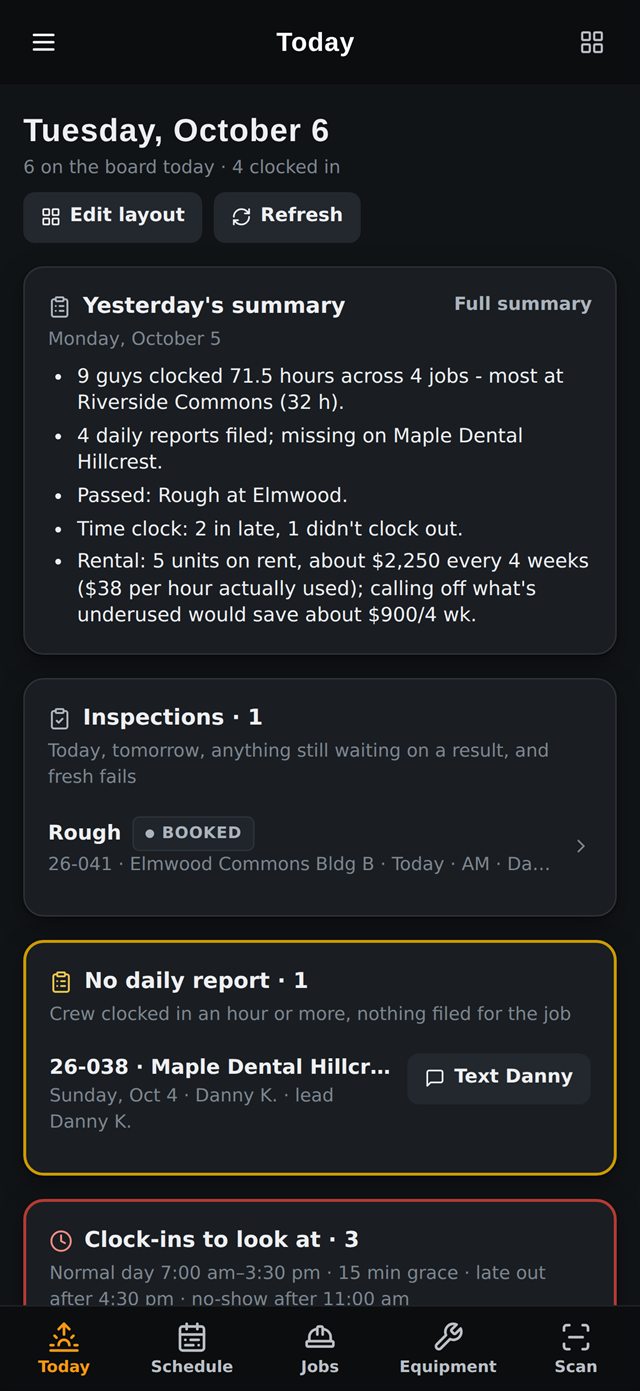
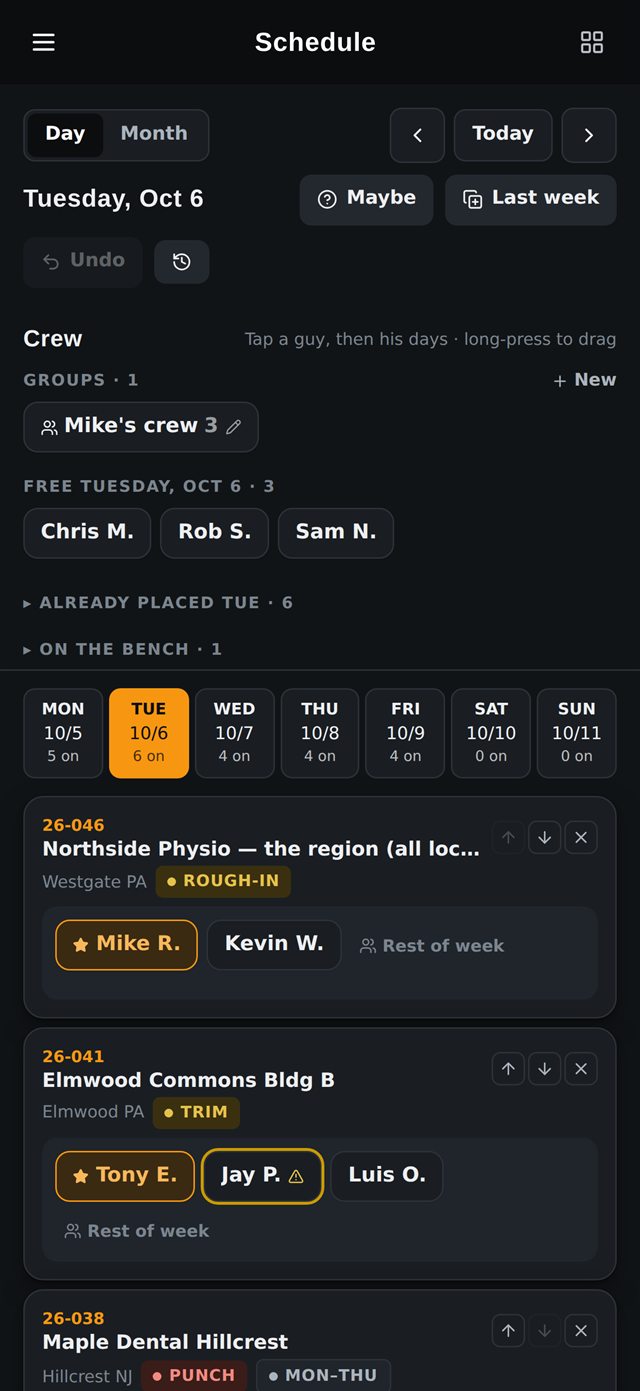
Screenshots from the real app, with made-up names and sample data.
The problem
A PM runs several jobs and a few dozen people from a truck. Who showed up, who is late, which job has no daily report, which inspection is today: that used to live in texts, spreadsheets and memory.
What it does
Today dashboard
Who is on the clock, no-shows, late arrivals, missing daily reports, today’s inspections and an overtime watch, in a layout each PM can rearrange.
Crew schedule board
A private board for placing crews on jobs, with saved crews, “copy last week”, custom work weeks and double-booking warnings. The plan is compared with actual clock-ins.
Job pages
Punch lists, inspections, photos, tools on site and foreman daily reports, matched to the job by clock-in, GPS or address.
Time-clock rules
Late, no-show and long-lunch rules with a grace period, so exceptions surface on their own instead of being found on payroll day.
Job hazard analysis
Foremen complete a JHA on their phone before work starts. Risk is calculated from likelihood and severity, not self-rated, and anything high-risk waits for a PM’s approval.
Lift rental control
Running rental cost per job from the rental company’s reports, flags for lifts that sat idle, and a ready-made call-off email.
Crew record and HR
Each person’s standing and record, written warnings, new-hire intake with e-signed onboarding, and state-specific separation paperwork.
Native apps and widgets
iPhone and Android apps with home-screen widgets, so the day’s numbers are visible before the app is even opened.
Connects to
- Crew Clock
- Job Costing
- Microsoft 365
- Twilio
Next app
Crew Clock →
Want to see it running?
We’re glad to walk through the apps, how they’re built and what comes next.